
Read. Manage. Transform PDFs — on-device.
A lightweight Android PDF reader and document utility toolkit. Fast reading, page-level transformations, password protection, and file tools that operate on your hardware without server uploads.

PacePDF
Fast, Private Android PDF Reader & Tools
Watch PacePDF in Action
Inspect the official app preview showcasing reading speed, page organization, and local tool workflows.
Sixteen verified tools. Zero server dependency.
Every tool below operates 100% locally on your Android device hardware without cloud processing, mandatory accounts, or document retention.
Stable Viewport
Hardware-accelerated PDF rendering with page jump & fluid pinch-zoom.
In-Document Text
Keyword matching across entire files with real-time match cycling.
Unwanted Pages
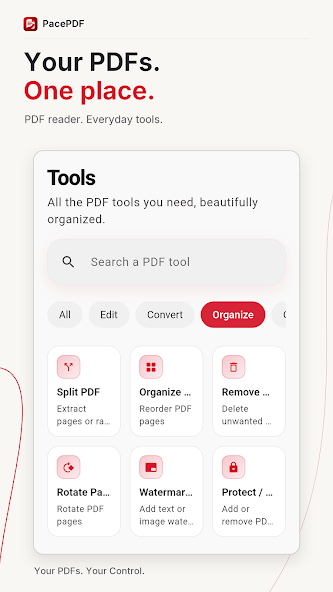
Visual thumbnail grid selection or custom index input to delete pages.
Targeted Ranges
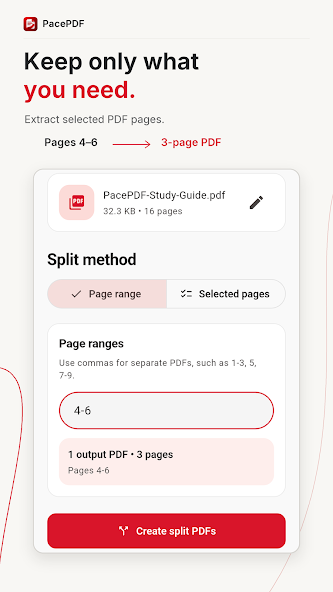
Extract specific intervals (e.g. 4–6) into standalone new documents.
Multiple PDFs
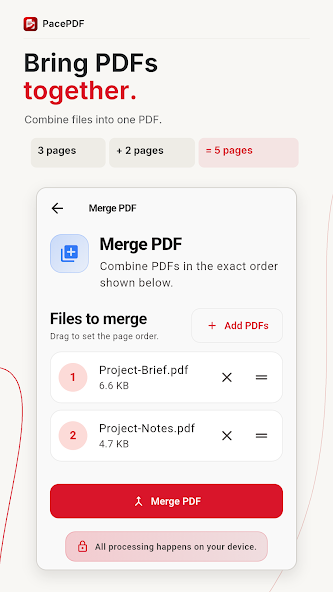
Combine separate files into one unified document with drag ordering.
Page Sequencing
Reorder and shuffle document page sequences with instant preview.
90° Increments
Fix sideways scans or orient individual pages in 90-degree steps.
Page Margins
Trim document margins to eliminate whitespace and focus readability.
Custom Autograph
Draw personalized signatures directly on-screen and place on pages.
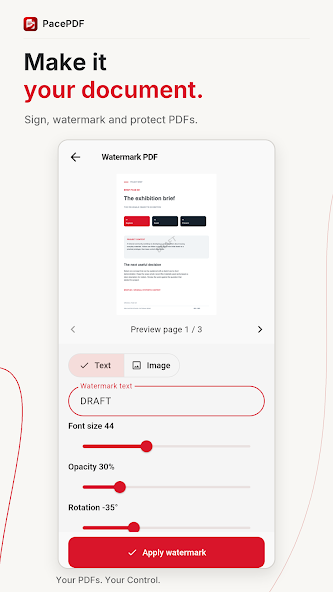
Text & Opacity
Apply custom text stamps with adjustable opacity, angle, and sizing.
Password Lock
Encrypt documents with secure user and owner passwords on-device.
Remove Security
Strip protection from authorized password-protected documents.
Images to PDF
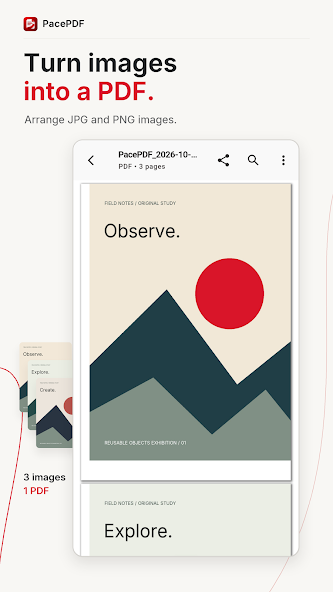
Assemble device photos (JPG, PNG) into a single formatted PDF file.
PDF to PNG
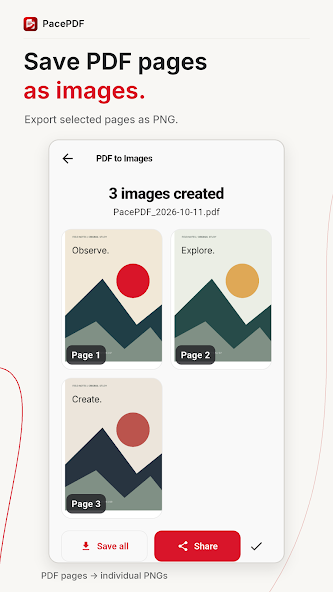
Render selected PDF pages out as crisp, individual image files.
Night Reading
Toggle inverted color themes for eye comfort during low-light reading.
Document Info
View title, author, creation timestamp, page dimensions, and size.
The genuine interface, tool by tool.
Select any verified capability below to inspect real captures of PacePDF operating on physical Android hardware.
Fast rendering with instant text search
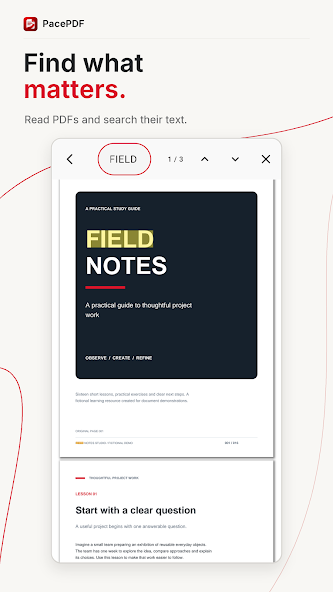
Fluid page navigation with stable scroll positions, jump-to-page dialog, and real-time keyword matching that highlights occurrences across the entire document.
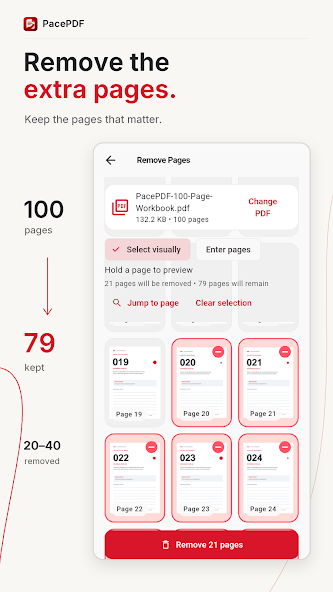
Prune unwanted pages with visual confirmation
Select unwanted covers, blank sheets, or appendices by tapping their thumbnails or specifying custom page ranges. Inspect remaining page counts before saving.
Extract precise page intervals into clean files
Partition large reports or textbooks into targeted deliverables. Enter comma-separated ranges or single page indices to generate new standalone PDF documents.
Combine separate files into one unified document
Select multiple PDFs from device storage, drag to arrange chronological or chapter order, and assemble a single consolidated file directly on your hardware.
Turn image sets into clean, shareable PDFs
Arrange JPG and PNG photos, receipts, or field notes into multi-page PDFs with consistent orientation, balanced aspect ratios, and immediate sharing options.
Apply custom watermarks and drawn signatures
Stamp documents with custom text watermarks—adjusting opacity, rotation angle, and sizing—or draw personal signatures to authorize agreements without third-party services.
Download PacePDF on Google Play
Equip your Android device with a private, dependable PDF reading and transformation toolkit today.